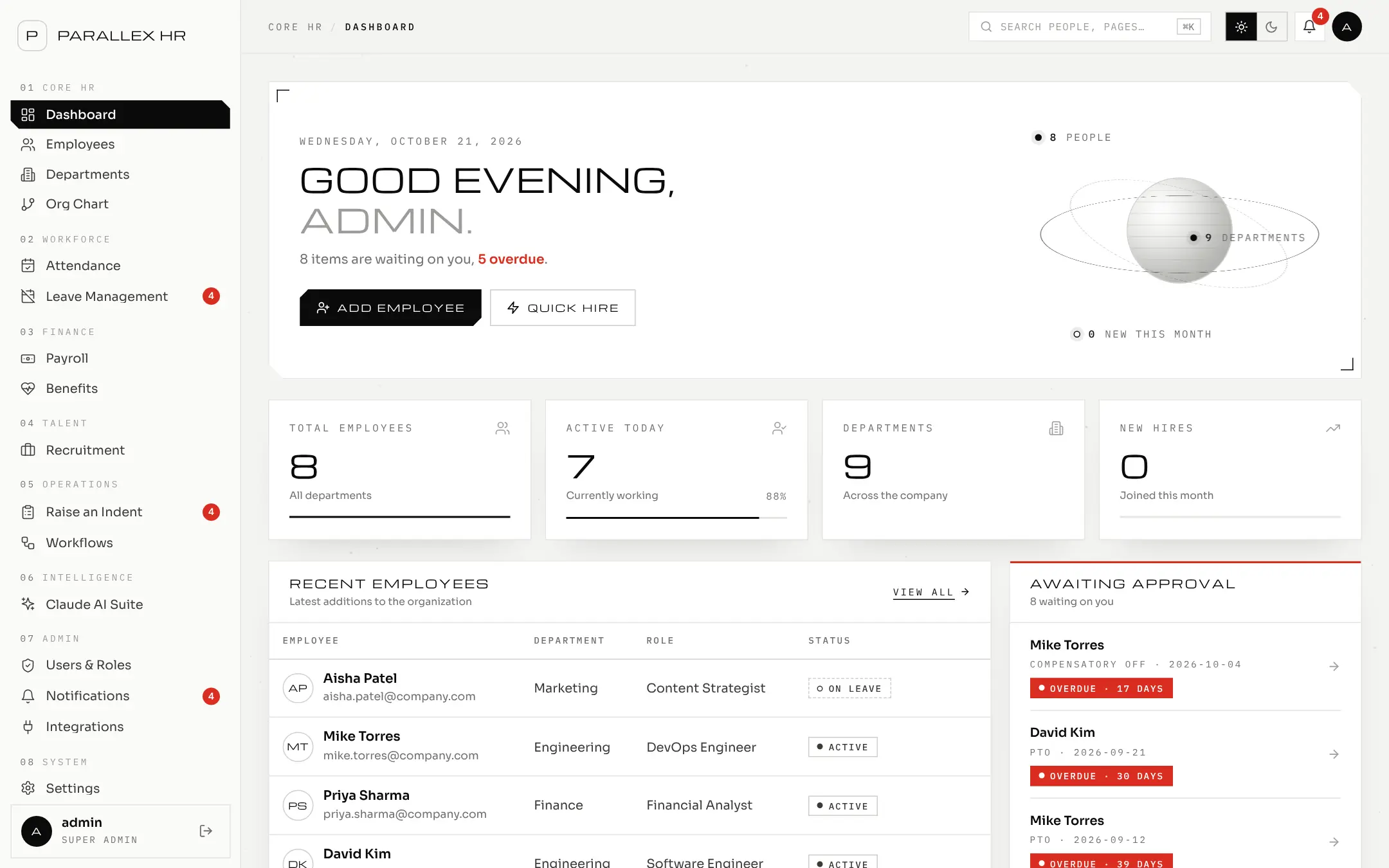
01 / 05 · Dashboard
A morning view of what needs you
Each person opens Parallex HR to what is waiting on them — overdue items first.
Parallex HR
The complete workforce management platform
Run payroll without the spreadsheet. Run leave without the email chain. Run hiring without the lost notes.
Every module · one login · one record per person
01 — The problem
These are the problems Parallex HR was built to remove — and what happens instead.
Approvals get lost in email.
Leave, purchase requests and workflow steps go to the right approver automatically, with a visible status at every step.
Payroll is rebuilt by hand every month.
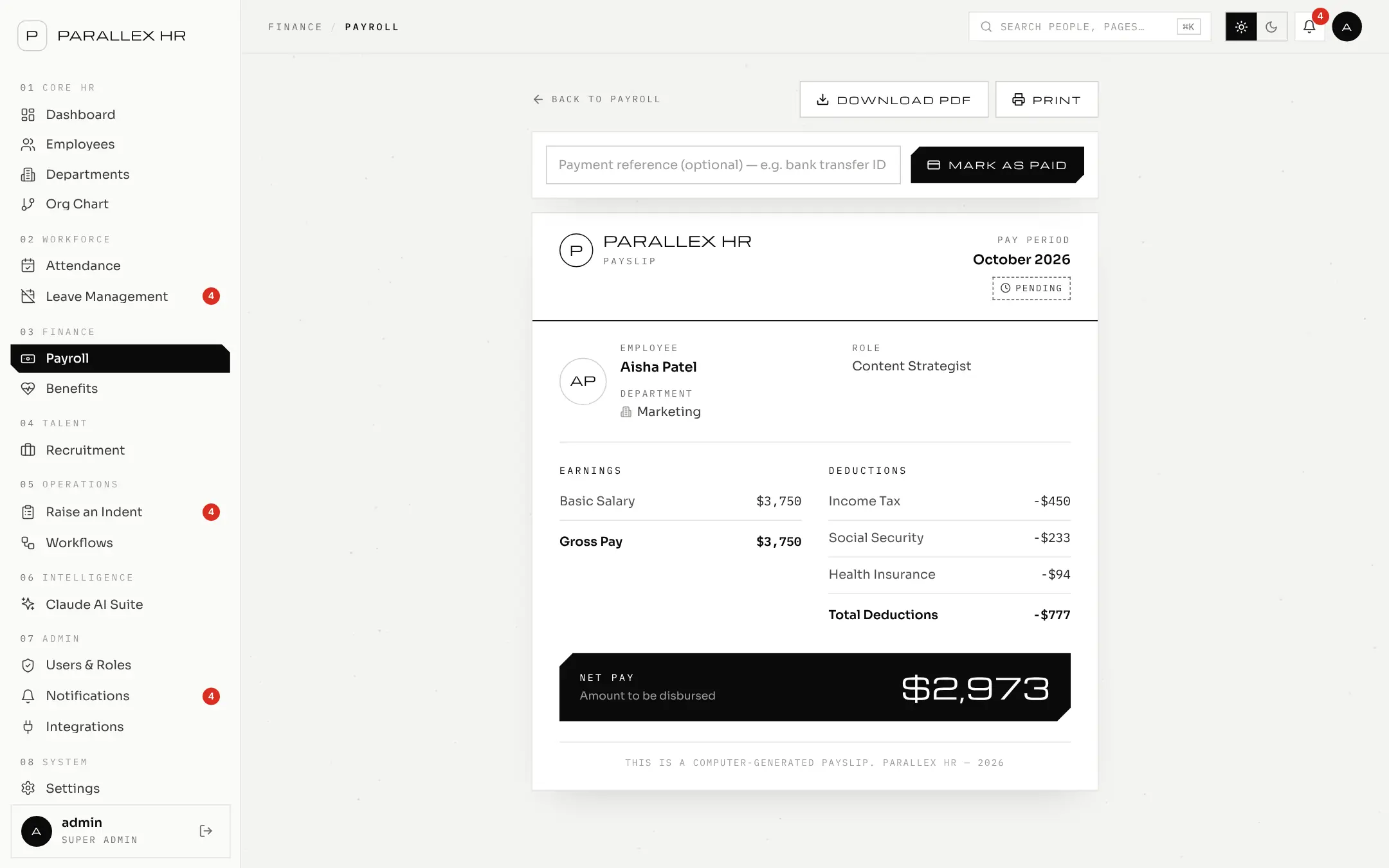
Runs are generated from salaries, start and end dates, overtime and benefit deductions — then reviewed before anyone is paid.
Nobody can say who approved what.
Every decision is stamped with the approver and the date. Every change to a payslip is kept in its history.
Employees chase HR for simple answers.
People see their own leave balance, payslips and requests — and nothing that isn't theirs.
Hiring lives in someone's notes.
Openings and candidates move through one shared pipeline, with ratings and notes the whole hiring team can see.
Onboarding checklists fall through the cracks.
Workflows start task lists when someone joins or leaves, and show which step is waiting on whom.
02 — Features & outcomes
Each module does the everyday job well, and shares one record per person with every other module.
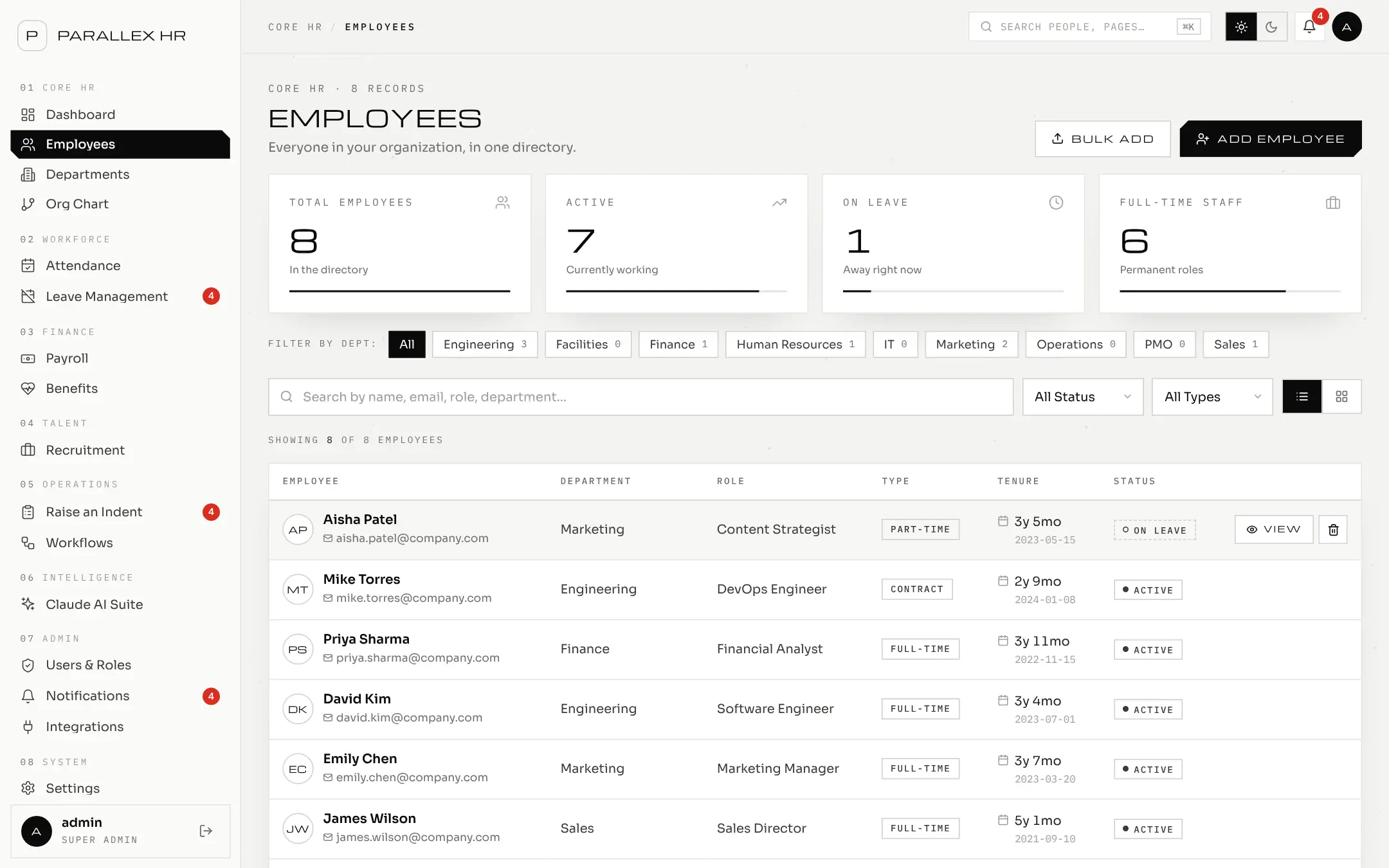
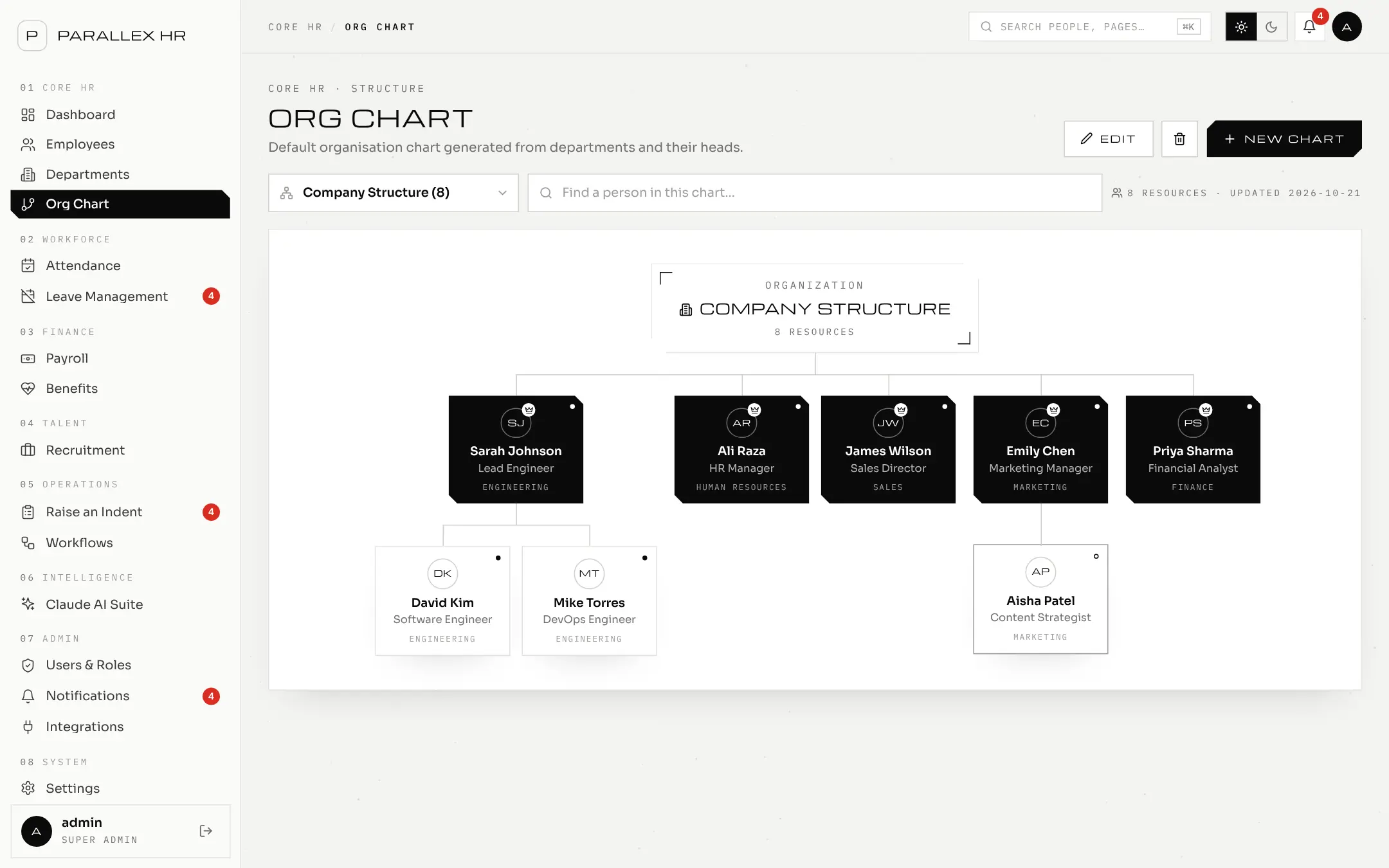
Employee records, departments and designations in one directory, with an org chart built from your departments and their heads.
03 — Inside the product
Every image on this page is a screenshot of Parallex HR running with demo data — nothing mocked up.
01 / 05 · Dashboard
Each person opens Parallex HR to what is waiting on them — overdue items first.
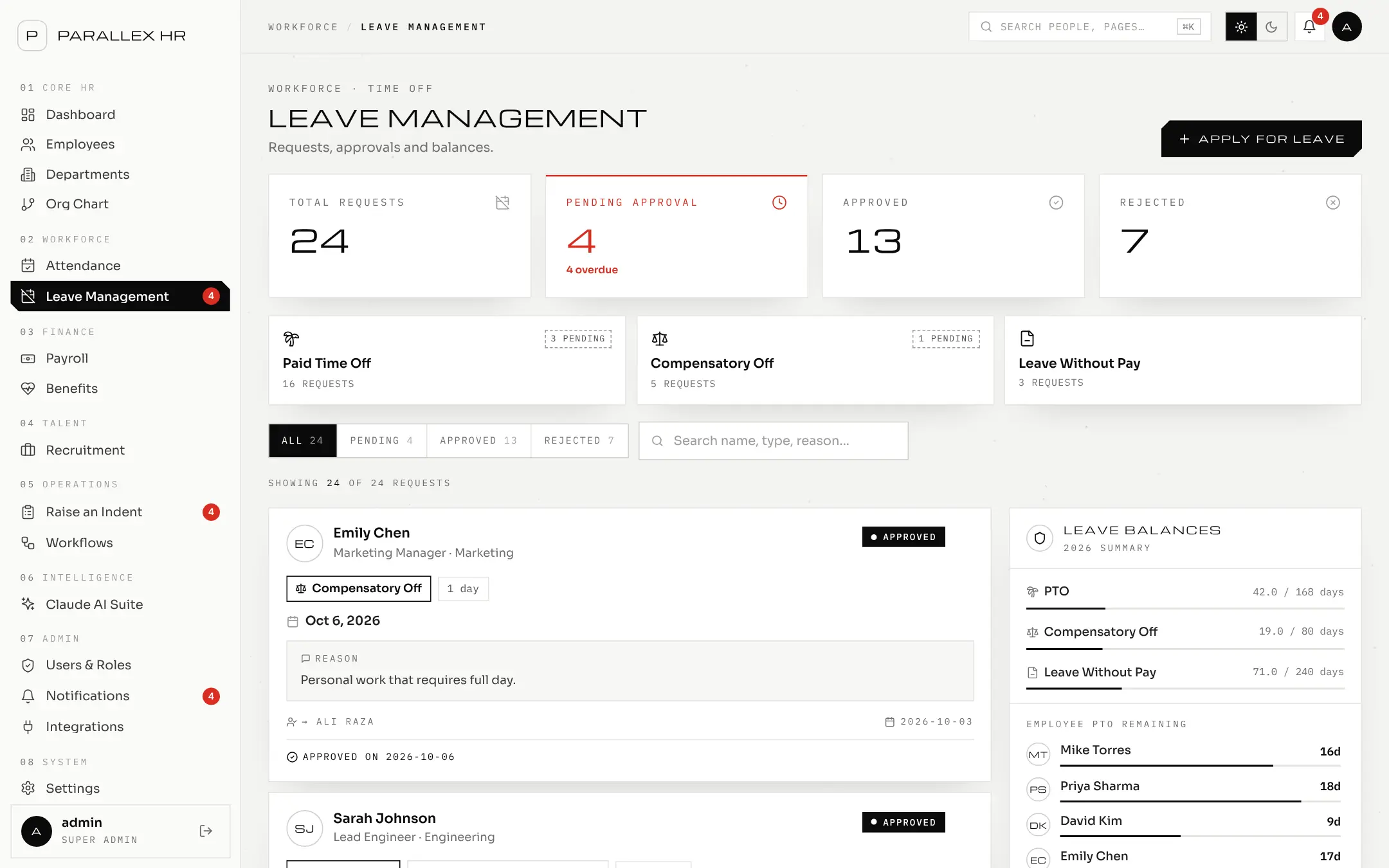
02 / 05 · Leave
Employees file in a few clicks. Parallex HR shows them who it will go to before they submit.
03 / 05 · Payroll
Generate the month, review it, approve it, mark it paid — with the history kept.
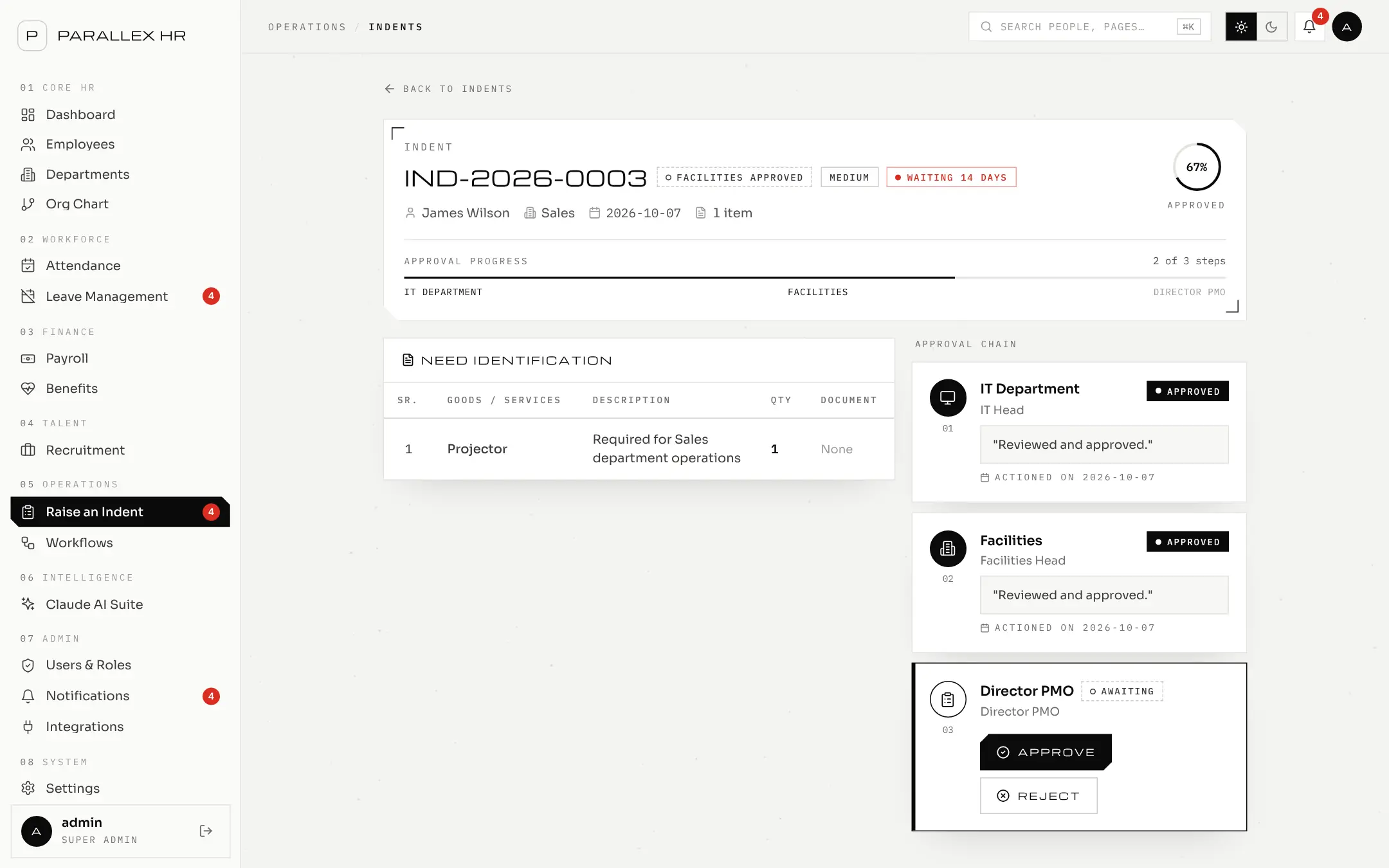
04 / 05 · Purchase requests
Raise a request, and watch it move through every approver in order.
05 / 05 · Org chart
Departments, their heads and their people — drawn as a chart you can search.
04 — Why Parallex HR
HR teams lose their weeks to spreadsheets, email chains and chasing approvals. Requests get buried. Payroll is rebuilt by hand. Nobody can say who approved what. Parallex HR puts every request, every approval and every record in one place — so the work moves at the pace of your people, not your inbox.
What we hold to
05 — Walkthrough
A real HR task, recorded in Parallex HR with demo data. No edits to the flow — what you see is what your team will use.
01 · David · Employee
Requests three days of paid time off. Parallex HR shows the request will go to his manager.
02 · Sarah · Manager
Sees it waiting on her dashboard and approves it in one click.
03 · David · Employee
Gets a notification. His PTO balance drops from 12 to 9 days.
Want to click through it yourself? Open the live demo — it runs on sample data, so nothing you do there is real.
06 — Security & privacy
Only practices built into the product today. If it isn't on this list, ask us; we'd rather answer directly than overstate.
Four roles — Admin, HR, Manager and Employee. Every request is checked against the role's permissions on the server, not just hidden in the interface.
Employees see their own payslips, leave and attendance. Nobody can approve or reject their own request.
Passwords are stored as bcrypt hashes and must have at least 8 characters with a letter, a number and a symbol.
Sessions expire after 12 hours. A failed sign-in gives the same message whether or not the username exists.
In customer workspaces, self sign-up and self-service password reset are switched off. Administrators create accounts and reset passwords.
Every change to a payslip is recorded with who made it and when. You can require a second person to approve each run.
Integration keys are displayed a single time and stored only as SHA-256 hashes. Revoke one and it stops working immediately.
The optional AI assistant is never sent salary or compensation data. It only contacts the model once you add an API key.
The application is served over HTTPS only, so data moving between your browser and Parallex HR is encrypted.
Parallex HR has not yet completed an independent audit such as SOC 2 or ISO 27001, and we don't advertise compliance we haven't been assessed for. If your procurement team has a security questionnaire, send it over — we'll answer it item by item.
07 — Implementation & support
We set Parallex HR up with you, not just for you. Five steps, and you're never handed a login and left alone.
We map your departments, leave rules, pay cycle and who approves what.
Company settings, leave policy, payroll policy and approval chains are configured with you.
Employees and history come in from your spreadsheets through the CSV / Excel import. We review any skipped rows together.
Logins are created in bulk, and each role gets a written guide: employees, managers and HR admins.
We stay with you through your first approvals and first payroll run, and you keep a direct line to the team after.
A direct line
Your questions go to the people who build Parallex HR, not a ticket queue.
Guides for every role
Written guides for employees, managers and HR admins, so each person learns only what they use.
Your feedback, our roadmap
What your team needs next shapes what we build next.
08 — In their words
Leave used to live in three inboxes and a spreadsheet nobody trusted. Now every request goes to the right manager, and I can see what's waiting without chasing anyone.
Illustrative feedback for this preview. Real customer stories will replace these.
09 — Resources
10 — Get in touch
A 30-minute call with the team that builds Parallex HR. We'll walk through your leave rules, payroll cycle and approvals — on screen.
Or open the live demo now →11 — Book a demo
Leave your details and what you'd like to discuss. Someone from the team will get back to you to set up a walkthrough shaped around your leave policy, pay cycle and approvals.
